
Some time we need a square door lock or entry for security reasons. RFID card has a unique ID with 1Kb ram. We can write or read from the memory block. Let’s look at the package that available in market-
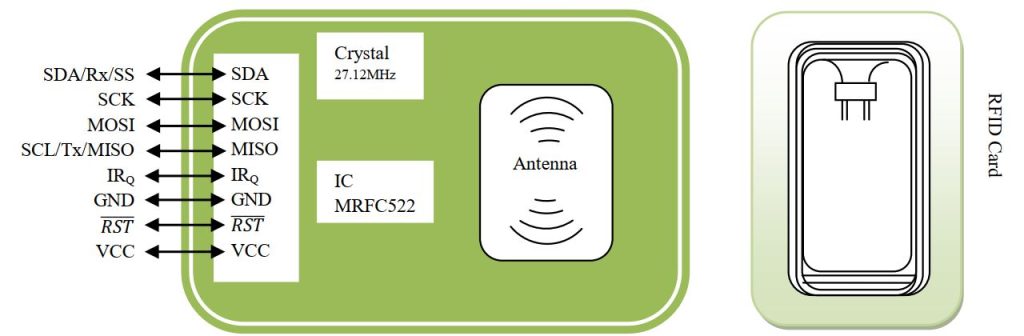
The MFRC522 is a highly integrated reader/writer IC for contactless communication at 13.56MHz. Since on board we have 27.12MHz frequency, we have to divide the clock. The MFRC522 can operate in SPI, I2C or UART protocol. The pin that controlling the protocol are-
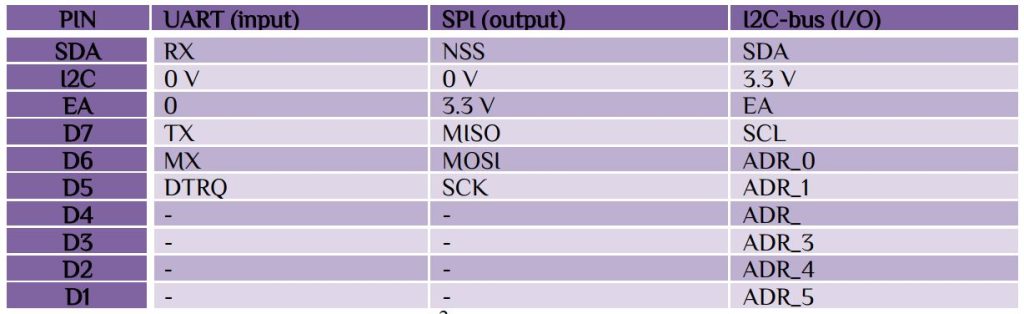
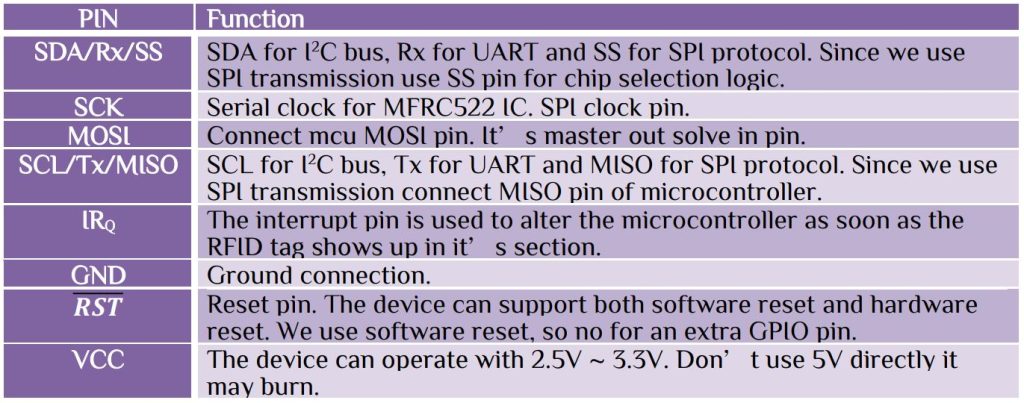
By default, in the package EA = 3.3 V and I2C = 0 V, so it can only controller by SPI interface. If you change the wiring then it can be controlled by I2C or UART protocol. SPI protocol can operate up to 10Mbit/s. Let’s look at pin available –
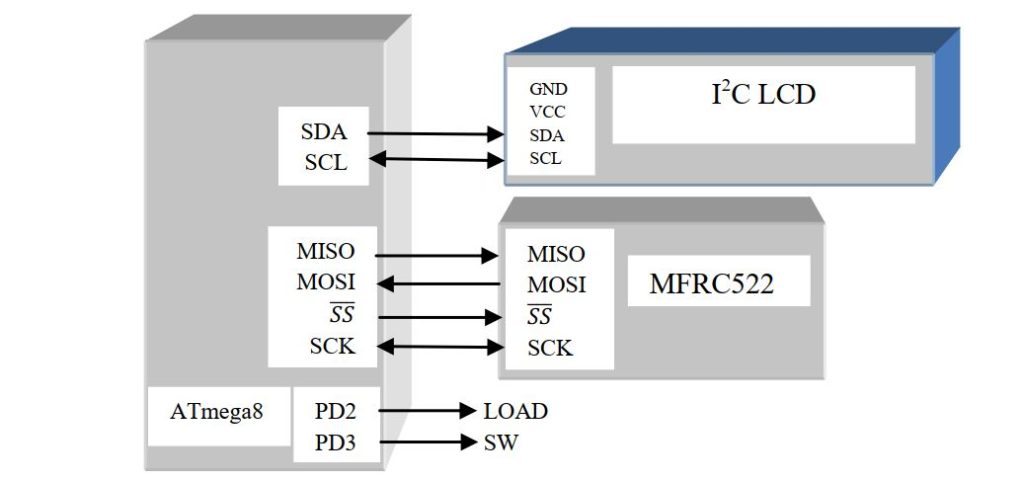
Here we use ATmega8 for our project. Connect the I2C LCD and RFID reader to the microcontroller. Here PD2 for load control that may be any door lock or any other medium. Download the hex file and load the microcontroller. Connect all devices according to the connection. Remember that the RFID reader has a VCC 3.3V, don’t connect the 5V directly.
The procedure is as follow-
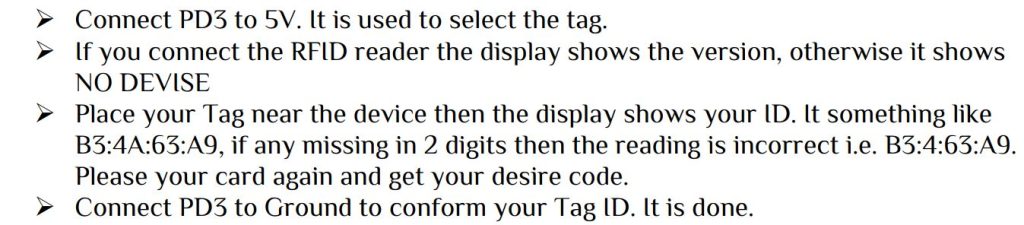
After following the above procedure you are done with your device setup. Now whenever you place your Tag ID pin PD2 will high for 30s then it will go low. Use PD2 pin for your security purpose. Remember

The main program as follow-
 #include<avr/io.h>
 #include<util/delay.h>
 #include<stdio.h>
 #include"RFID.h"
 #include"I2CLCD.h"
uint8_t FoundTag,ReadTag,TagData[16],sw; // Variable used to store Full Tag Data
uint8_t YourTag[4]={0xB3,0x4A,0x63,0xA9};
char buffer[20];
int main(void)
 {
 DDRD|=(1<<DDD2);                  //Load pin
 DDRD&=~((1<<DDD3)|(1<<DDD4));    //input pin
 init_spi();
 system_init();
 LCD_Clear();
 begin(); //initialize MFRC522
 LCD_write_string(1,1,"Waiting for TAG");
 uint8_t version = readFromRegister(VersionReg);
 if(!version) LCD_write_string(1,2,"NO DEVICE");
 if(version)
 {
   LCD_write_string(1,2,"DEVICE found");
   _delay_ms(1000);
   sprintf(buffer,"%2X          ",(version)); //display version in hexadecimal
   LCD_write_string(1,2,buffer);
 }
 sw=PIND&(1<<PIND3);
 while(sw)
  {
    sw=PIND&(1<<PIND3);
    FoundTag = requestTag(MF1_REQIDL, TagData);
    if (FoundTag == MI_OK)
	{
		ReadTag = antiCollision(TagData);
		LCD_write_string(1,1,"Tag Detected    ");
		for(uint8_t i=0;i<4;i++)
        YourTag[i]=TagData[i];
		_delay_ms(1000);
		sprintf(buffer,"Sl %2X:%2X:%2X:%2X  ",YourTag[0],YourTag[1],YourTag[2],YourTag[3]);
		LCD_write_string(1,1,buffer);
		LCD_write_string(1,2,"Enter to save   ");
	}
 }
 LCD_Clear();
 while(1)
  {
   LCD_write_string(1,1,"Security System  ");
   FoundTag = requestTag(MF1_REQIDL, TagData);
   if (FoundTag == MI_OK)
     {
       ReadTag = antiCollision(TagData);
	   if((YourTag[0]==TagData[0])&&(YourTag[1]==TagData[1])&&(YourTag[2]==TagData[2])&&(YourTag[3]==TagData[3]))
	   {
	   LCD_write_string(1,2,"unlock for 30s  ");
		PORTD|=(1<<PORTD2);  //open for 30s
		_delay_ms(30000);
		LCD_write_string(1,2,"**** Locked ****  ");
	   }
     }else PORTD&=~(1<<PORTD2);
 }
return 0;
}
Since the I2C LCD has a unique ID. So download according to the I2C LCD device ID. I2C will be discussing in the next article and you can find I2C address detecting hex file.


 IoTthingHuB


 Visit Today : 58
 Total Visit : 41174