
To communication with PC or laptop with microcontroller, the popular protocol is UART. In PC or laptop we see serial port which has Tx and Rx pin. It is a 9 pin terminal which has the pin-
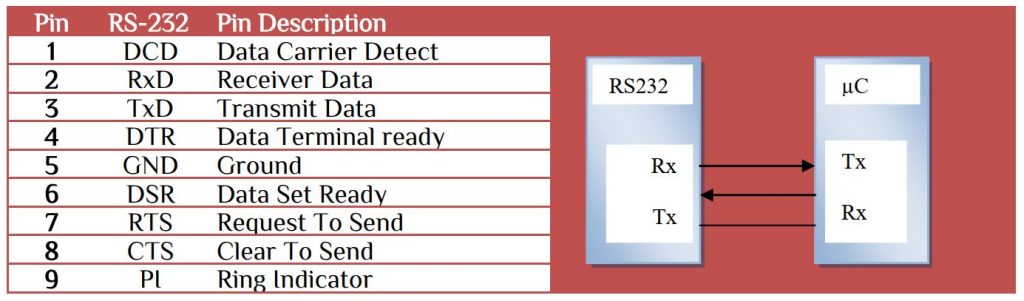
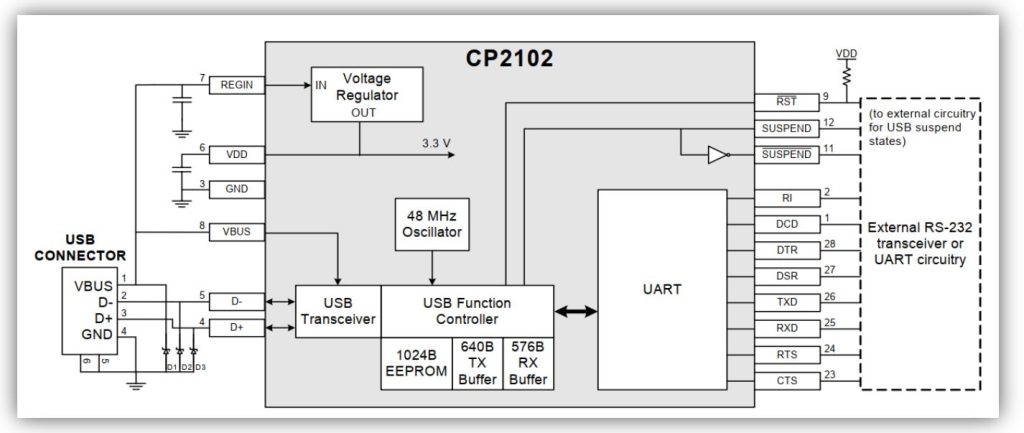
For Asynchronous data transmission we need only 3 wire – Rx, Tx and Ground. The RTS and CTS device pin provides RTS and/or CTS flow control. CTS control signals the host to stop sending serial data to the device. RTS flow control lets the host signal the device so it will send the data in serial transmit buffer out the UART. Most of the PC/Laptop doesn’t have serial terminal and the communication need TTL communication. USB to TTL converter is the most popular form of UART communication form PC to microcontroller. We use CP2101device (USB to UART bridge) which has the circuitry-
Use any PC terminal Realterm or PuTTY select appropriate COM port, Baud rate, parity, data size, stop bit. In I2C protocol learning we need to identify the I2C 7 bit address to communicate. Let’s test different I2C device with the I2C Scanner.
The hex file compatible ATmega48/88/168/328 microcontroller. You can any use any microcontroller you want, no need to change any fuse bit of the microcontroller. The program is done with the default clock frequency. Select Connection type> Serial, COM pin as shown in the Device Manager> Ports(COM & LPT) terminal, baud rate 9600, 8bit character, no purity, one stop bit configuration. Microcontroller connection-
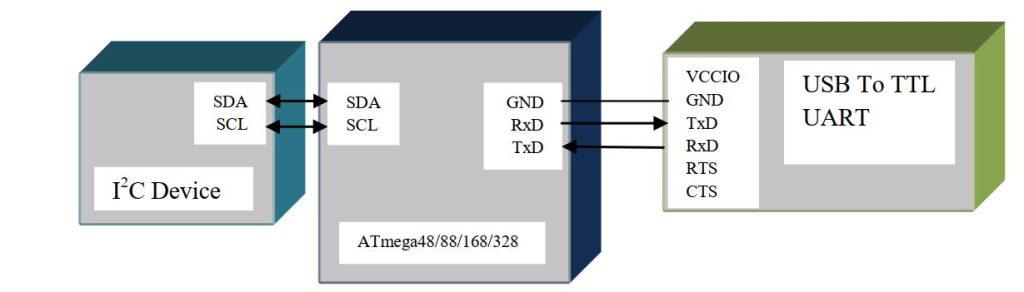
Connect any I2C device and press enter key. The serial terminal will show the device 7bit address. It will help you to know any I2C device address, that will help you for farther program. In SPI section we learn about RFID card. The unique address UUID can also be show in the PC terminal.
RFID card UUID Scanner
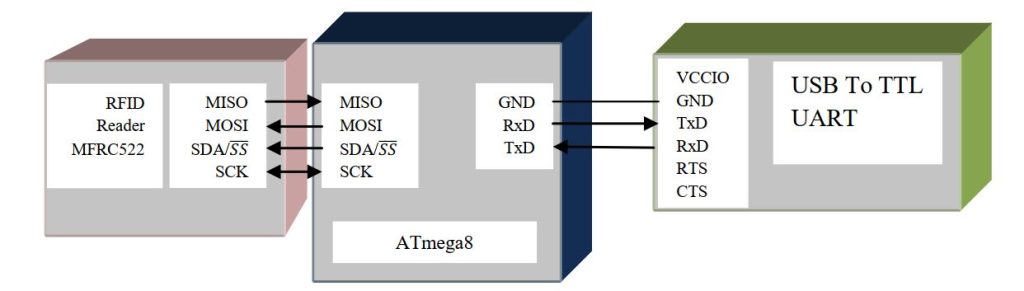
The program is done with ATmega8. Download the main.hex file and load the flash file. No need for fuse setting. When a TAG/RFID card is placed near the RFID reader it will display the 4byte UUID. It will help you in RFID identification.


 IoTthingHuB


 Visit Today : 58
 Total Visit : 41174