
A LCD display is nothing but a set of pixels. If any character sends to display it only glow the dot pixels that required. Standard alphanumeric LCD display can accept 8bit data bytes or 4bit nibble. In 8bit configuration all the bits of corresponding port is used and in 4bit configuration only four bits are used that are connected to D4-D7 at the LCD display. We only learn about 4bit operating mode. Both data & command can be send to LCD pin D4-D7 through only 3 controlling pin E, RS &  . Pin is used for LCD read or write operation. Since we only write character to the LCD so in is ground all time.
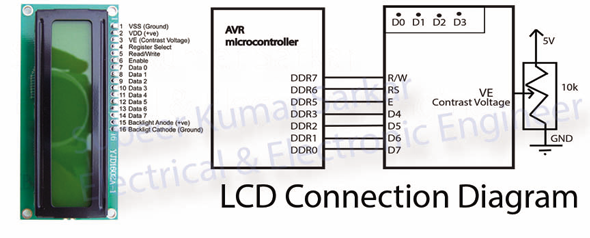
The pin RS(Register Select) is used for data & command mode operation.

For both data mode and control mode the pin EN must go from 1 to 0. LCD has some command set to control the display.
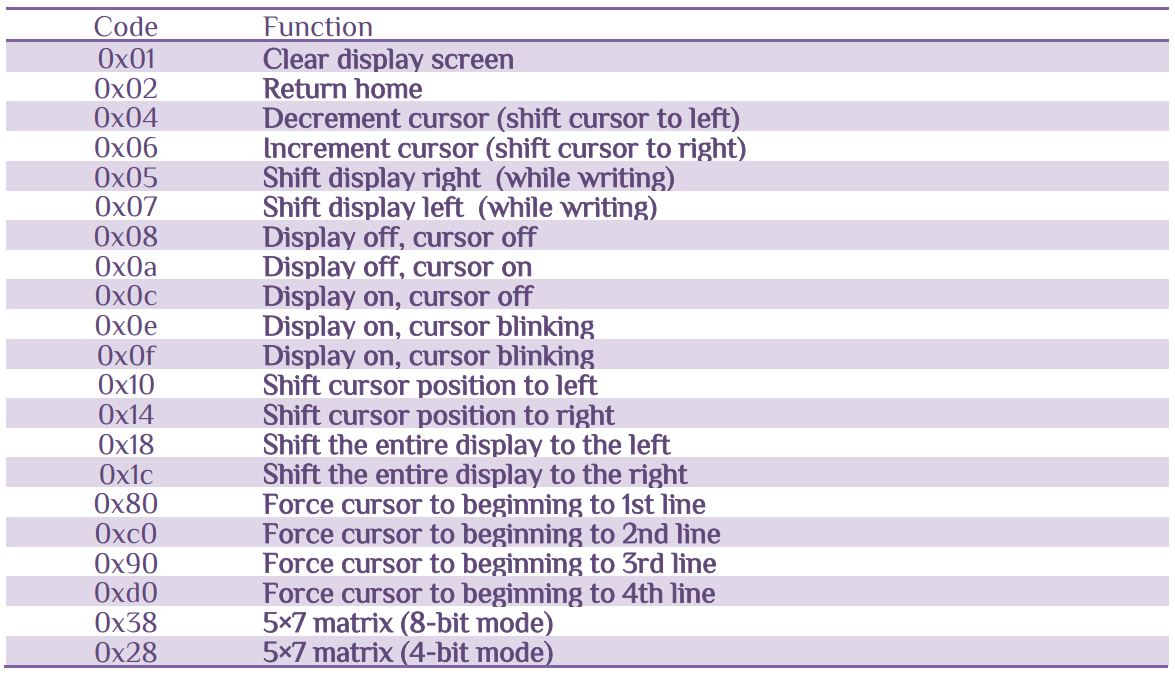
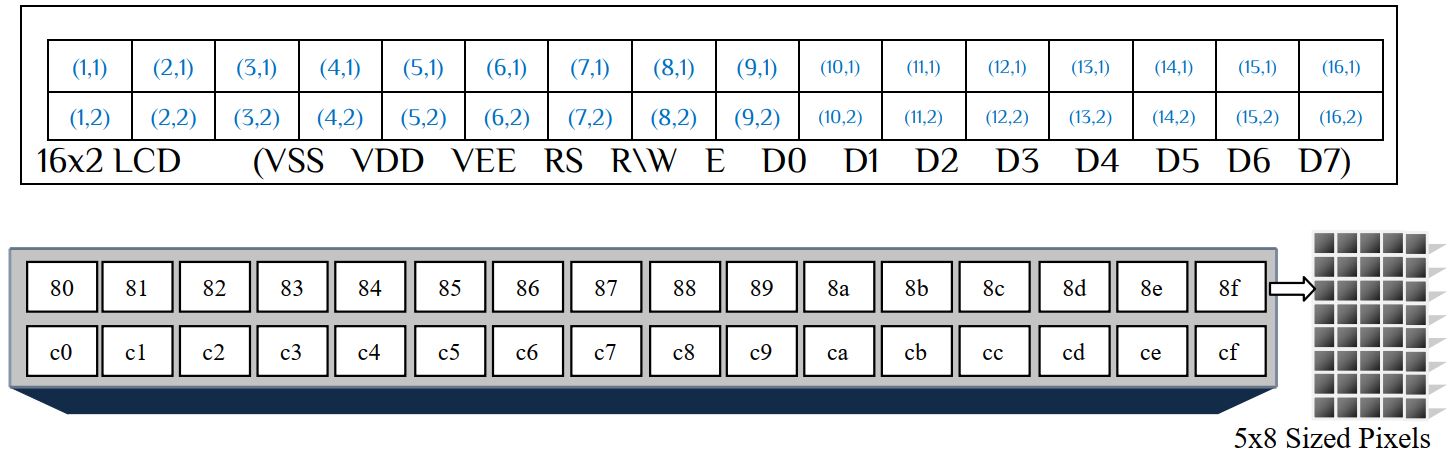
The dots are configured as follow-
Connect any GPIO to LCD D7, D6, D5, D4, E and RS.

From the table we see that only upper half of 4 bit of the LCD need to set or according to logic. So for 4bits data-
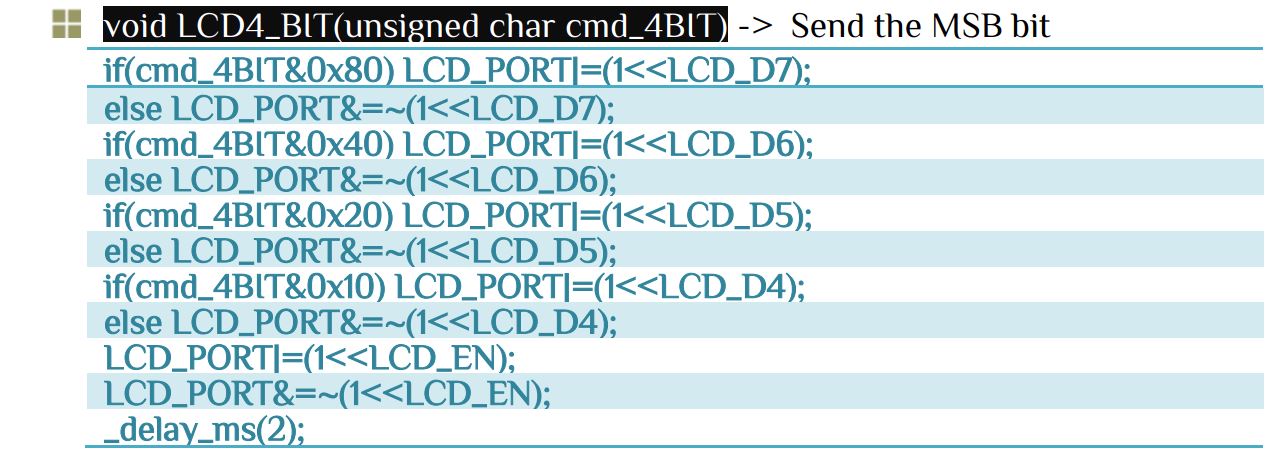
Now next step is to send command or data

All we are done with modes it’s time to initialize the LCD and send data to display. Let’s initialize the LCD first. To initialize the LCD it needs some steps-
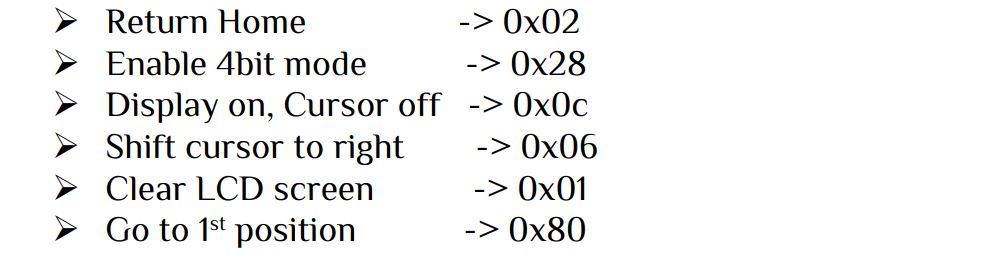
To send command/data we need to set the upper 4bits in proper way. Since command/data is send in 1byte/8bits mode let’s look at the function below.


String and its uses
A string is a sequence of characters that is treated as a single data item. The general form of declaration of a string variable –
char string_name[size]=”your string “;
i.e. char name[20]= ” EEE RUET 09 “
Here,

Therefore there are 11 single characters. The character string must not exact the size limit, otherwise an error occur.
i.e. char name[10]= “EEE RUET 09” //Error
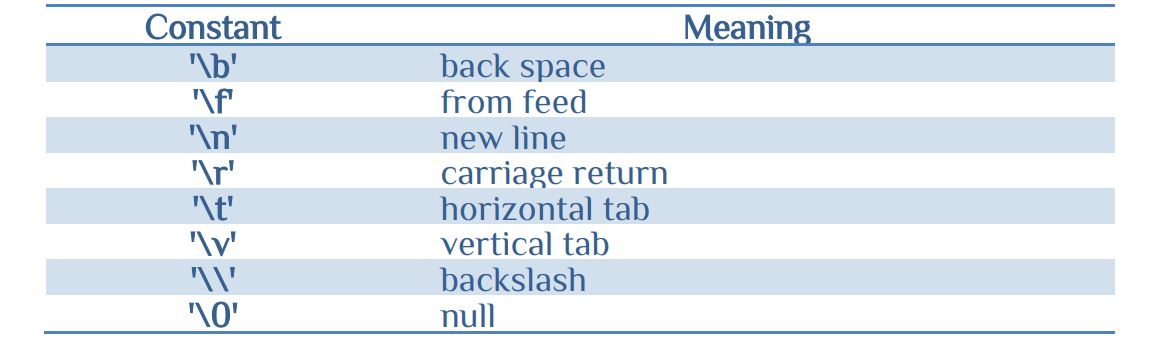
Backslash character constants
scanf function
Header file #include<stdio.h>
here stdio.h represents standard i/o function.
Format
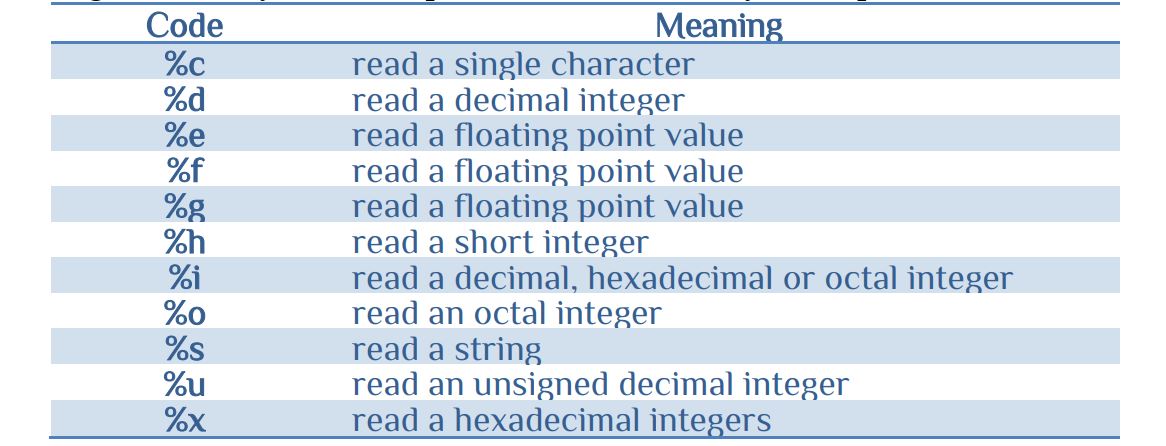
sprinf(*char, “ character _declaration “);
Here * denotes for pointer that will be discuss in the memory section. But string pointer is same as sting so no burry about the pointer. The commonly used sprint format code as follow-
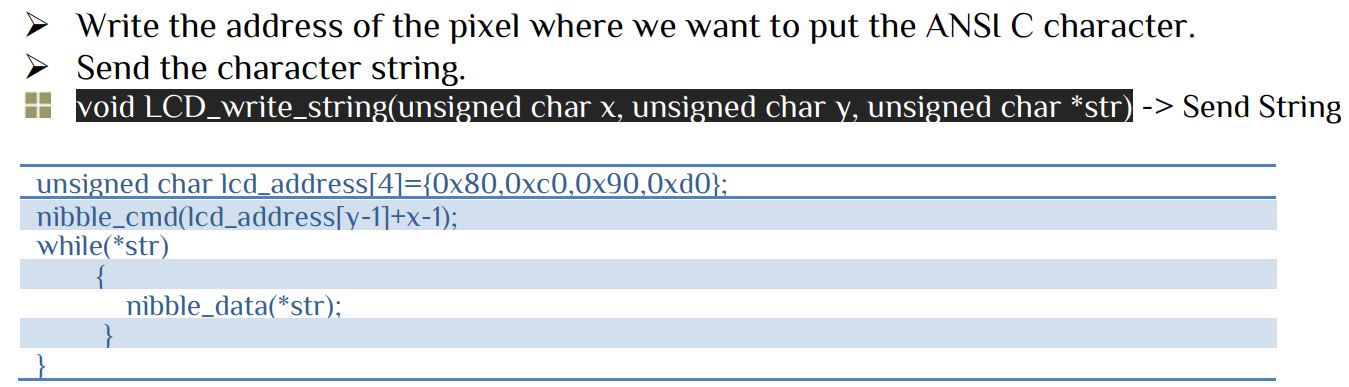
Now it is time to write some characters to the LCD display. For writing characters we need some steps-
After connect LCD with AVR sometime the LCD display shown no contents, in this case vary the variable resistance slowly until the display show characters. The contract adjust is very essential in LCD display so care should be taken.
The lcd.c and lcd.h has been ready you can download the file from link. Your program is to show the ANSI C character code to the LCD display-
#include<avr/io.h>
#include<util/delay.h>
#include<stdio.h>
#include"lcd.h"        // PORTD as LCD port
char name[20];
int main(void)
{
LCD_INIT();
LCD_Clear();
while(1)
	{
		for(int i=0;i<=127;i++)
			{
				LCD_write_string(1,1,"***ANSI C code**");
				sprintf(name,"%i No. char %c  ",i,i);
				LCD_write_string(1,2,name);
				_delay_ms(1000);
			}
	}
return 0;
}


 IoTthingHuB


 Visit Today : 58
 Total Visit : 41174