
We already learn how to interface LCD and keypad to microcontroller. In this topic we cover some math calculation in C and build a function for calculating the basic parameter. This a simple calculator to display value.
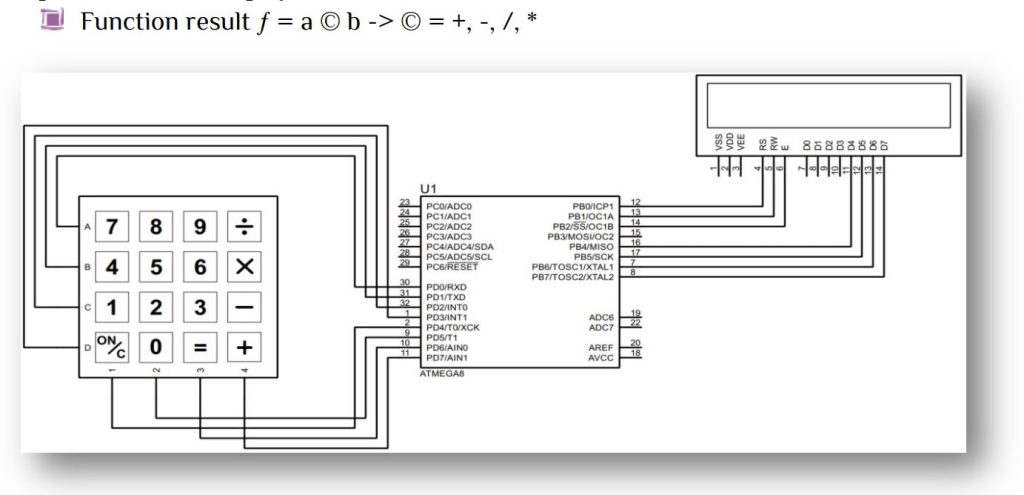
Here 4×4 matrix keypad is used. Our first goal is to display our fist digit and store in a variable. Since we can input our fist digit until any function key is pressed, so our looping will terminate when ‘+’ or ‘-‘ or ‘/’ or ‘*’ is pressed.
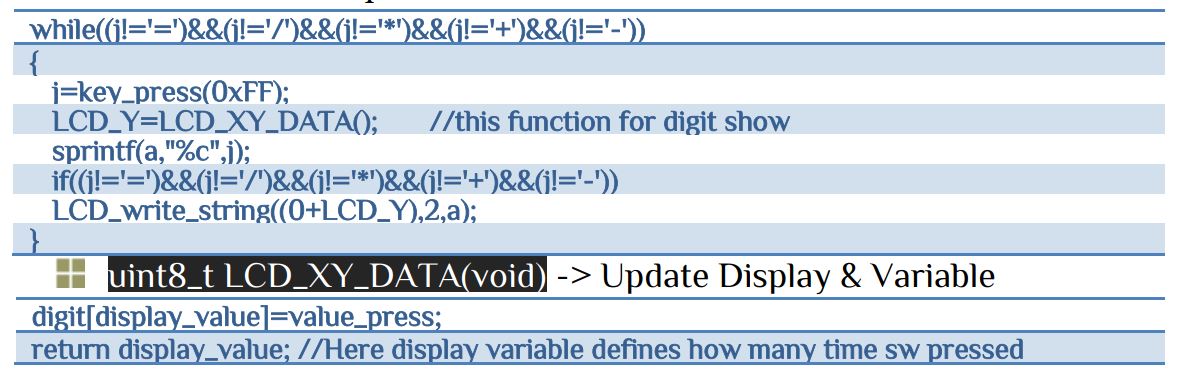
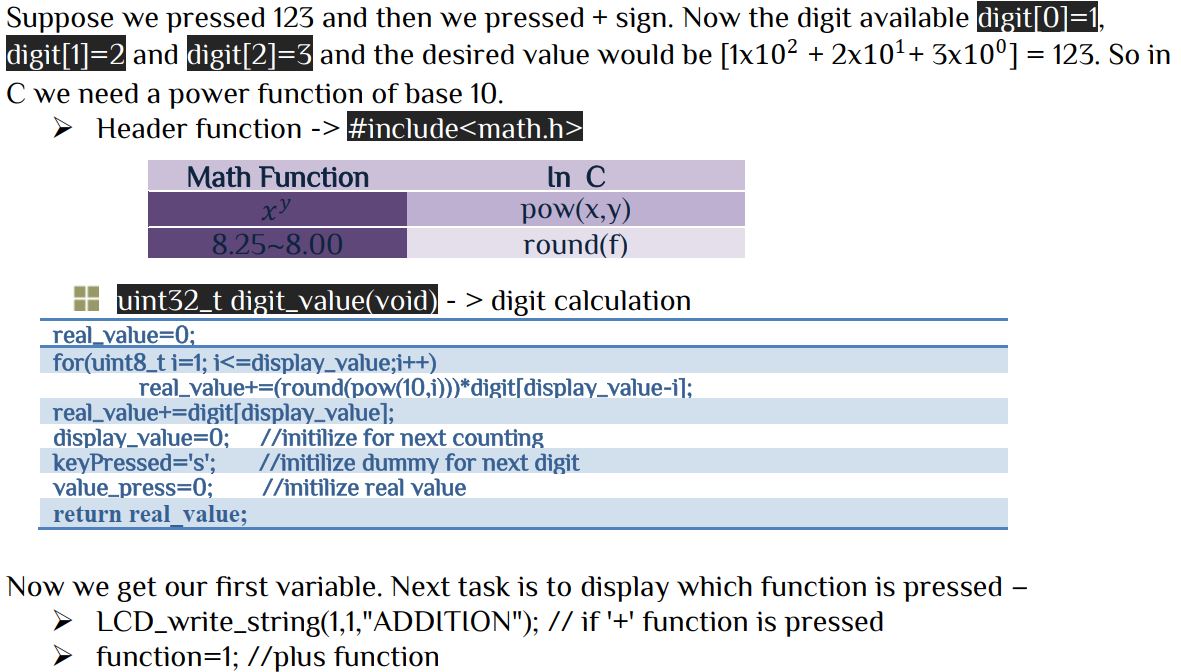
Similar process we can find our second digit. If we pressed ‘=’ signed than the final result will display. So for display and calculation we need simple steps of else-if statement in C. Suppose we pressed ‘+’ function and summation will be display as follow-
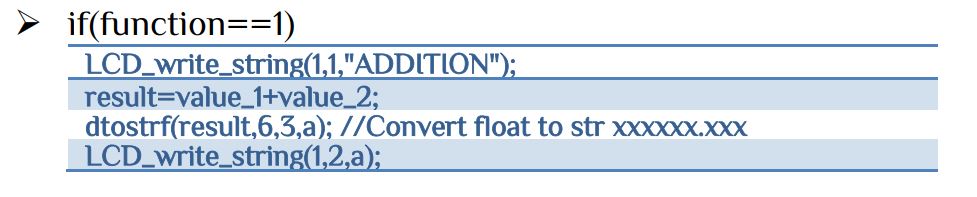
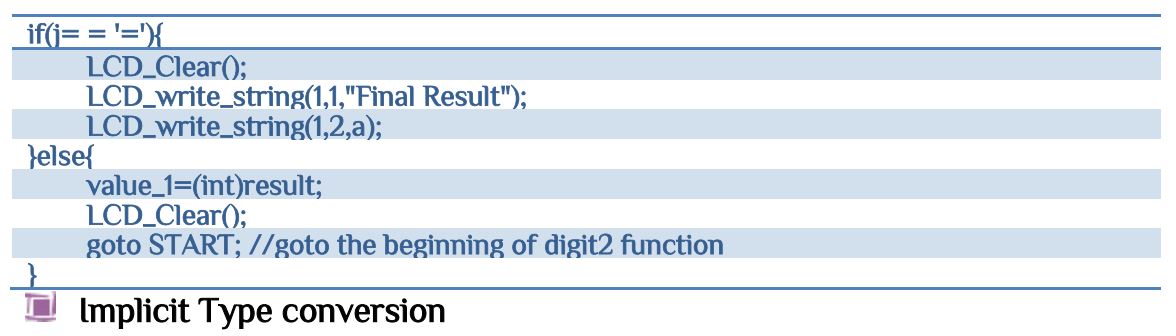
Suppose after find the second digit again ‘+’ is pressed in spate of ‘=’ sign. In that case our result value became again the first value and again we need to enter the second digit. Let’s look at the code-
(data type)expression;
Example:-
float a;
a=(int)(3/2);
The value of a will be —–> a=1.000000
Now our basic structure is ready and we need our clear and ON/OFF function. Note that every time we get our final result we have to clear our important variables. Our main function will be the integration of all of our functions.
/************************************************************************************************
*************************************************************************************************
This program will display digit of calculator in LCD display
*************************************************************************************************
		Subeer Kumar Sarkar
		Electrical & Electronic Engineer
************************************************************************************************
************************************************************************************************
***********************************************************************************************/
#include<avr/io.h>
#include<util/delay.h>
#include<stdio.h>
#include"keypad.h"
#include"lcd.h"
#include"calculation.h"
uint32_t key[2];
unsigned char enter;
int main(void)
{
keypad_init();
LCD_INIT();
LCD_Clear();
_delay_ms(500);
START:
   LCD_write_string(1,1,"Normal Calculator");
   key[0]=digit_1();
   key[1]=digit_2();
   _delay_ms(1000);
   enter=key_press(0xFF);
	while(1)
	{
	WAIT:
	   if(enter==0x18)
	   {
		  cash_clear();  //clear the cash
		  goto START;
	   }else
	   {
		 _delay_ms(50);
		 enter=key_press(0xFF);
		 goto WAIT;
	   }
   }

return 0;
}
Here we use cancel CAN(cancel) character 0x18 for clear function. Here 2 goto function used. One for calculation and another for reset the calculator to start from the beginning.


 IoTthingHuB


 Visit Today : 58
 Total Visit : 41174