
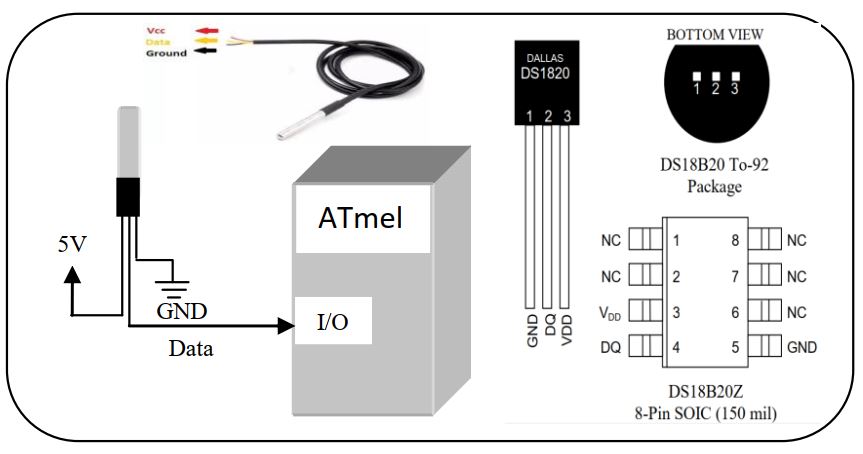
The DS18B20 Digital Thermometer provides 9 to 12-bit (configurable) temperature readings which indicate the temperature of the device. Information is sent to/from the DS18B20 over a 1-Wire interface, so that only one wire (and ground) needs to be connected from a central microprocessor to a DS18B20. Power for reading, writing, and performing temperature conversions can be derived from the data line itself with no need for an external power source.
To interface with DS18B20 digital temperature sensor we need to initialize the sensor with some register parameter. Let’s look at the only important register that should be required for interfacing.

By default the DS18B20 display temperature in 12bit so other parameter will not consider. Now the sensor has only 1 pin for data in and out. So there is a procedure to write and read bits from the sensor. Now first reset the sensor-
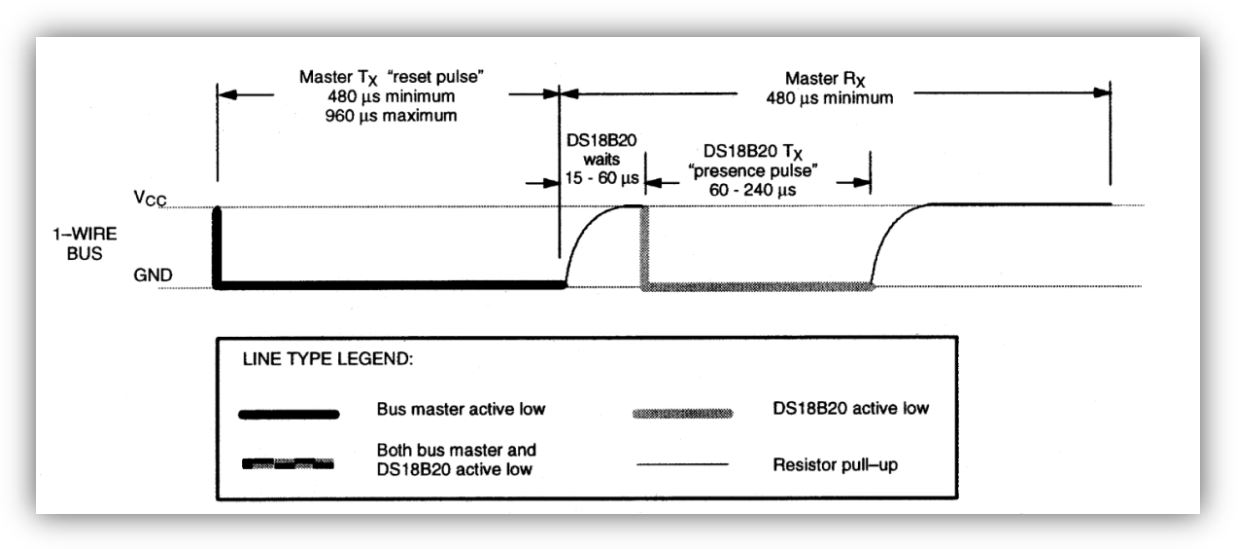
Form the timing diagram we show that the sensor pin should be grounded for minimum 480µs to maximum 960µs, than we have to release the line and wait for at least 60µs and read the signal of the sensor pin. Here one important thing that the I/O pin first configure as output with output low, then wait 480µs, then we have to release the line for input reading, that will be done with I/O port define as input pin. Let’s look at the code for simplicity-
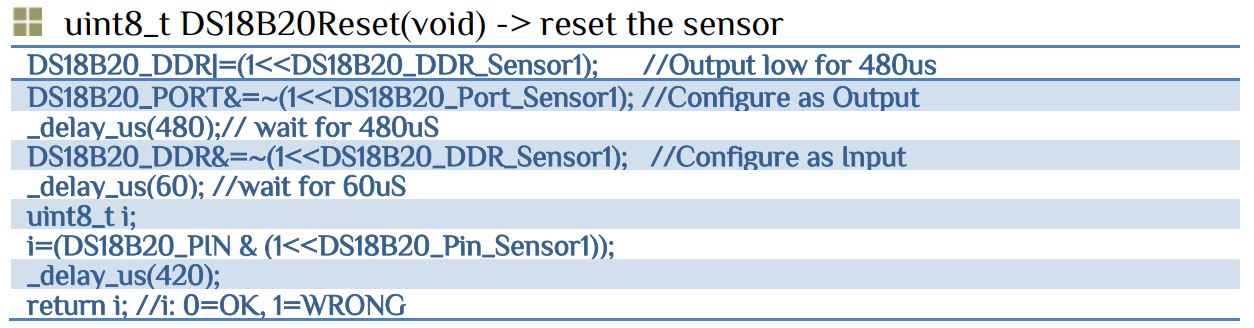
Here 420µs used for stable the sensor. If we found output 0 than the sensor is okay otherwise replace the sensor and repeat the process. Now it is time to write the register bit for operation.
To write 0 the output should low for 60µs~120µs and to write 1 the output low from 1µs~15µs.
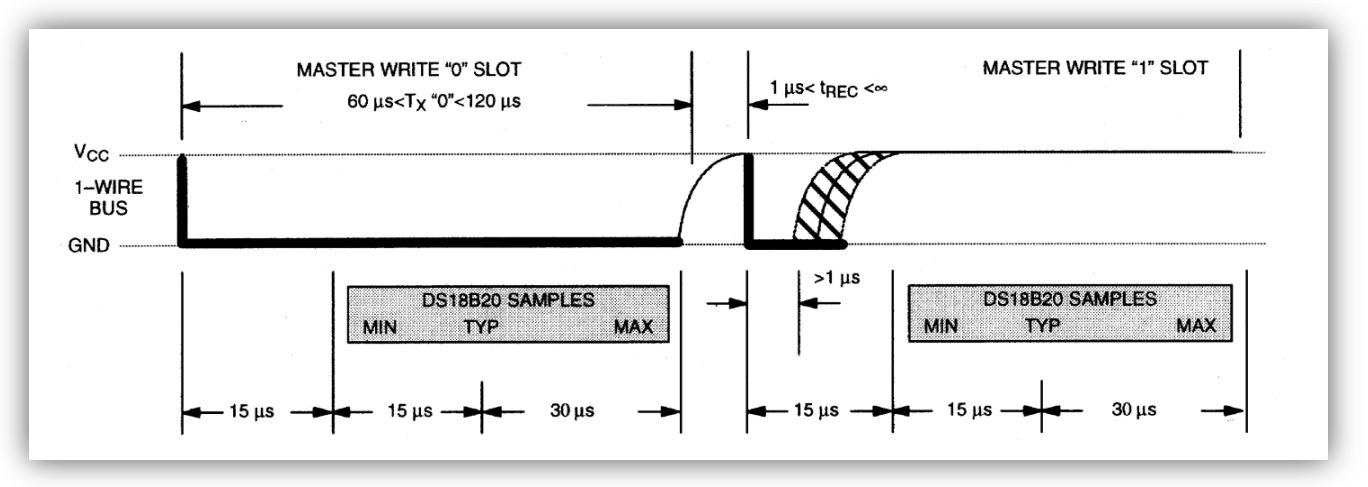
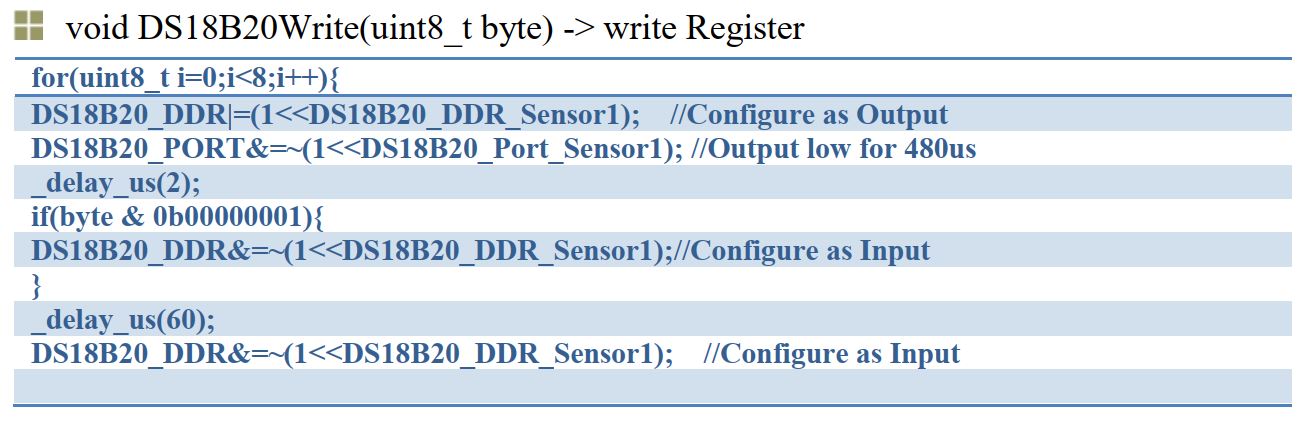
Let’s chose 2µs for reference, if we want to write 1 set the output low for 2µs than release the line, otherwise wait another 60µs for writing 0. To write the register byte we have to write 0/1 bit in a sequence manner, that 0 number bit 1st, then 1st bit, then 2nd bit so on. So we have to right shift the byte for every bit write operation. Let’s look the full code for simplicity-
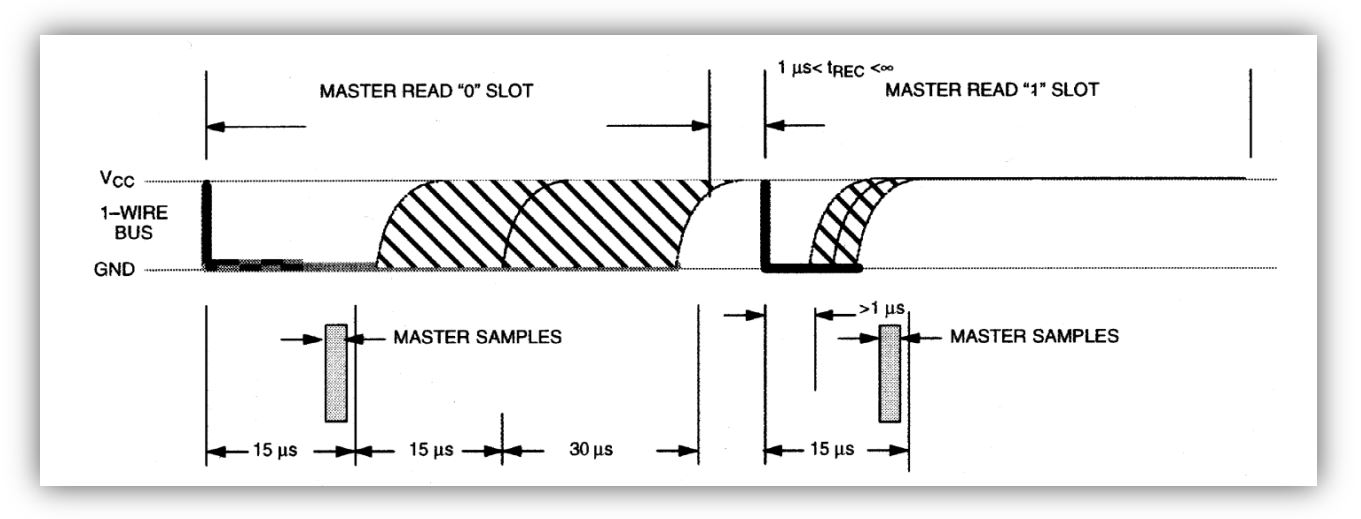
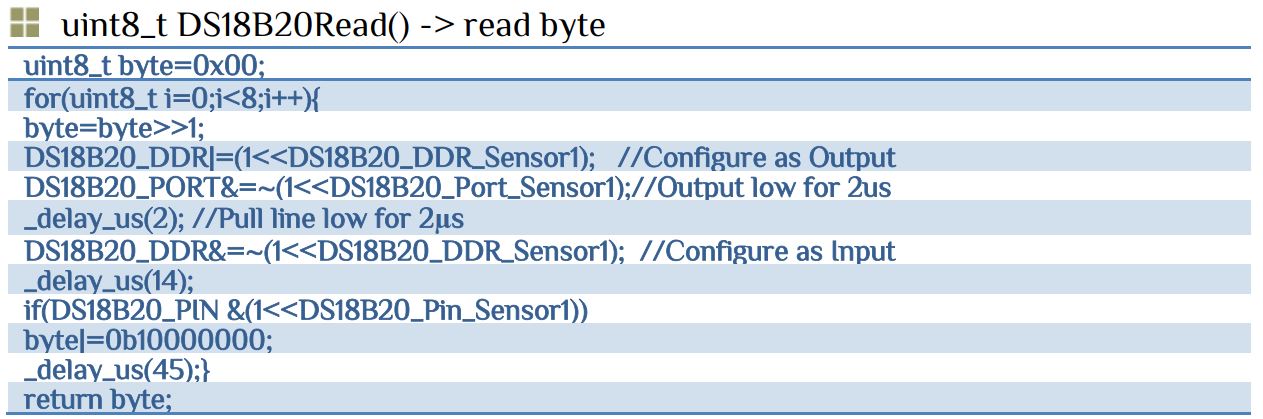
To read 0 the output should low for <15µs and to write 1 the output low from >1µs. Let’s chose 2µs for reference. In this case we put the output low for 2µs and release the line and again wait another 14µs then we read the pin. Now we have the 0 and 1 bit and a variable should be assigned to read all the values. Reading procedure is maintained in a sequence i.e. 0th bit read first, then 2nd bit and so on. So we have to right shift the byte for every bit read operation. Let’s look the full code for simplicity-
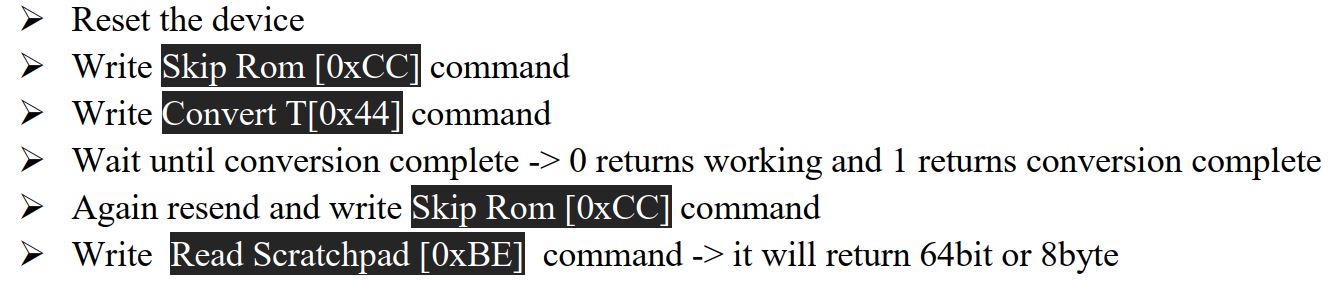
All we are done with read and write functions. Now it is time to send command and received the 12bit temperature value. It will requires the following steps-
Our main concern with the first 2 byte.

Here s=1 for negative temperature and s=0 for positive number. For example-
The full for temperature read as..-> float DS18B20ReadTemp() – return temperature value in float
float DS18B20ReadTemp()
{
    uint8_t ds18b20_scratchpad[8];
	uint16_t digit;
    uint16_t decimal;
	float temperature;
	flag=DS18B20Reset();
	DS18B20Write(DS18B20_CMD_SKIPROM);
	DS18B20Write(DS18B20_CMD_CONVERTTEMP);
	//Wait until conversion is complete 0 complete 1 processing
	while(!DS18B20Read());
	flag=DS18B20Reset();
	DS18B20Write(DS18B20_CMD_SKIPROM);
	DS18B20Write(DS18B20_CMD_RSCRATCHPAD);
	for(uint8_t i=0;i<8;i++)
	{
		ds18b20_scratchpad[i]=DS18B20Read();
	}
	sign=ds18b20_scratchpad[1]&0xf0;//if not 0 value is negative
	if(sign)
	{
		ds18b20_scratchpad[0]=~ds18b20_scratchpad[0]; //inverse the bit
		ds18b20_scratchpad[1]=~ds18b20_scratchpad[1];
	}
	digit=ds18b20_scratchpad[0]>>4;
    digit|=(ds18b20_scratchpad[1]&0x7)<<4;
	decimal=ds18b20_scratchpad[0]&0xf;
	temperature=digit+(decimal*THERM_DECIMAL_STEPS_12BIT);
	if(sign) temperature=-(temperature+THERM_DECIMAL_STEPS_12BIT);
	return temperature;
}
Download the DS18B20.c and DS18B20.h file. Our main program is simply read the temperature and displays the value in LCD display.
#include<avr/io.h>
#include<util/delay.h>
#include<stdio.h>
#include"lcd.h"        // PORTD as LCD port
#include"DS18B20.h"
char name[20],str;
float temp;
int main(void)
{
LCD_INIT();
LCD_Clear();
_delay_ms(1000);
LCD_write_string(1,1,"temperature");
while(1)
	{
	_delay_ms(100);
	temp=DS18B20ReadTemp();
	sprintf(name,"tem= %.4f", temp);
	LCD_write_string(1,2,name);
	}
return 0;
}
Download the full program with proteus simulation


 IoTthingHuB


 Visit Today : 58
 Total Visit : 41174
1 thought on “DS18B20(Digital Temperature Sensor) interfacing with GPIO”
Comments are closed.